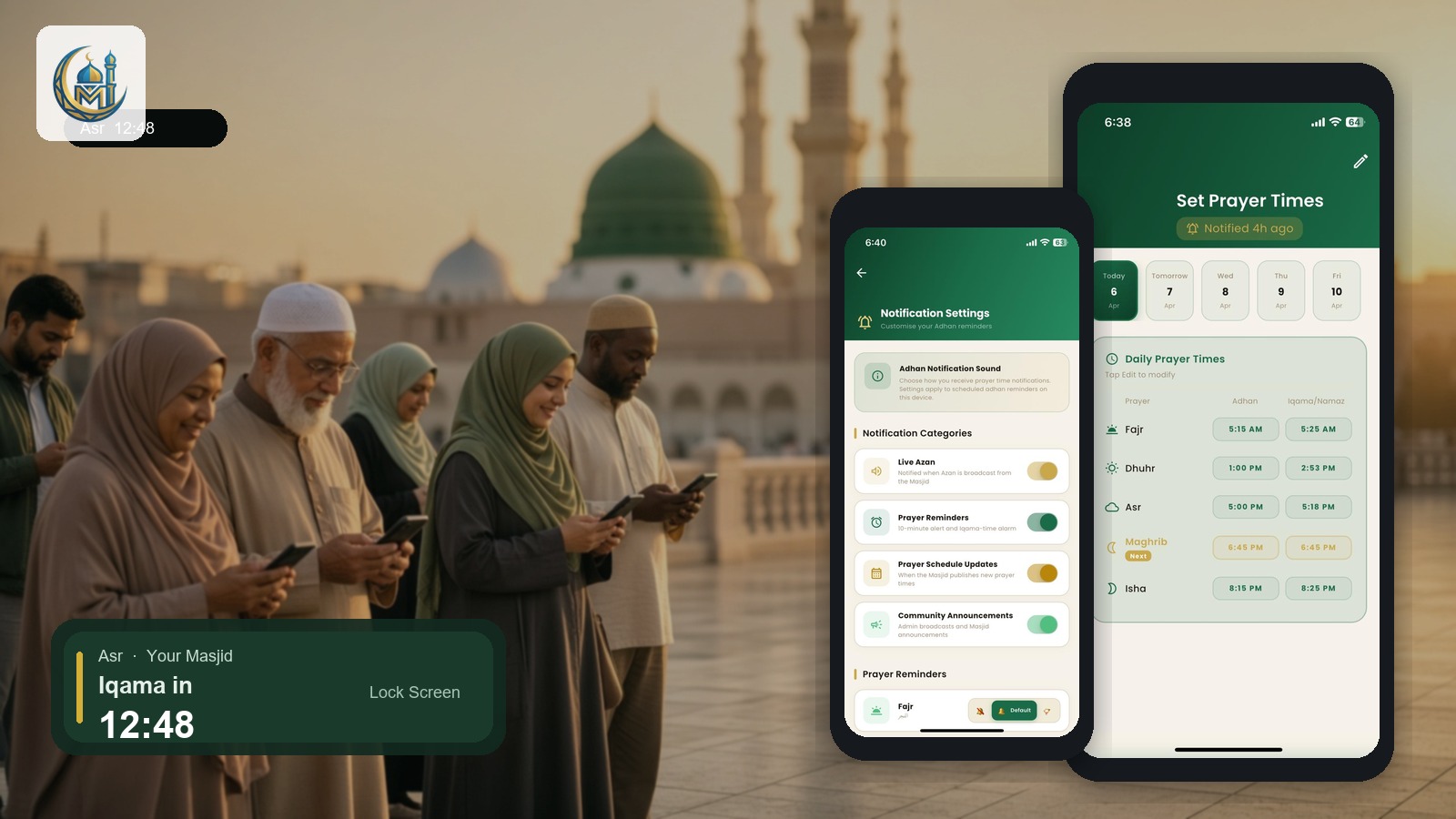
You already glance at your iPhone lock screen a dozen times before Maghrib. The useful question is whether that glance shows your masjid's Iqama — or a generic alarm that never talked to your Imam.
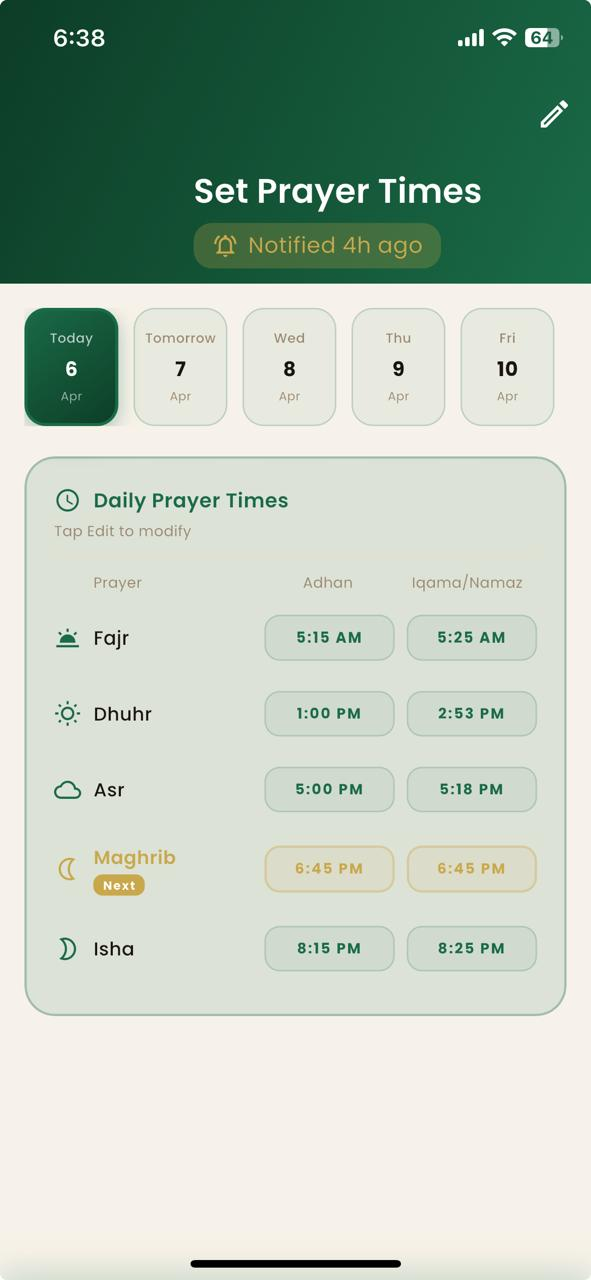
MyAlMasjid Live Activity puts a live Iqama countdown on Lock Screen and Dynamic Island for iPhone members (iOS 16.2+). It is not a second prayer calculator. It follows the same published schedule your Mutawalli or Imam set in the app.
What you see
Before Jama'ah, the Live Activity can show the prayer name, your masjid name, and a live countdown to Iqama. On phones with Dynamic Island, a compact pill keeps the timer visible while you use other apps. On the Lock Screen, a larger card stays readable without unlocking.
When Iqama arrives, the activity can move to a clear "now" state and then dismiss. If Live Azan is broadcasting from your Muezzin, the activity can reflect that moment too — still listen-only for members, still tied to your roles.
Why Lock Screen beats another buried notification
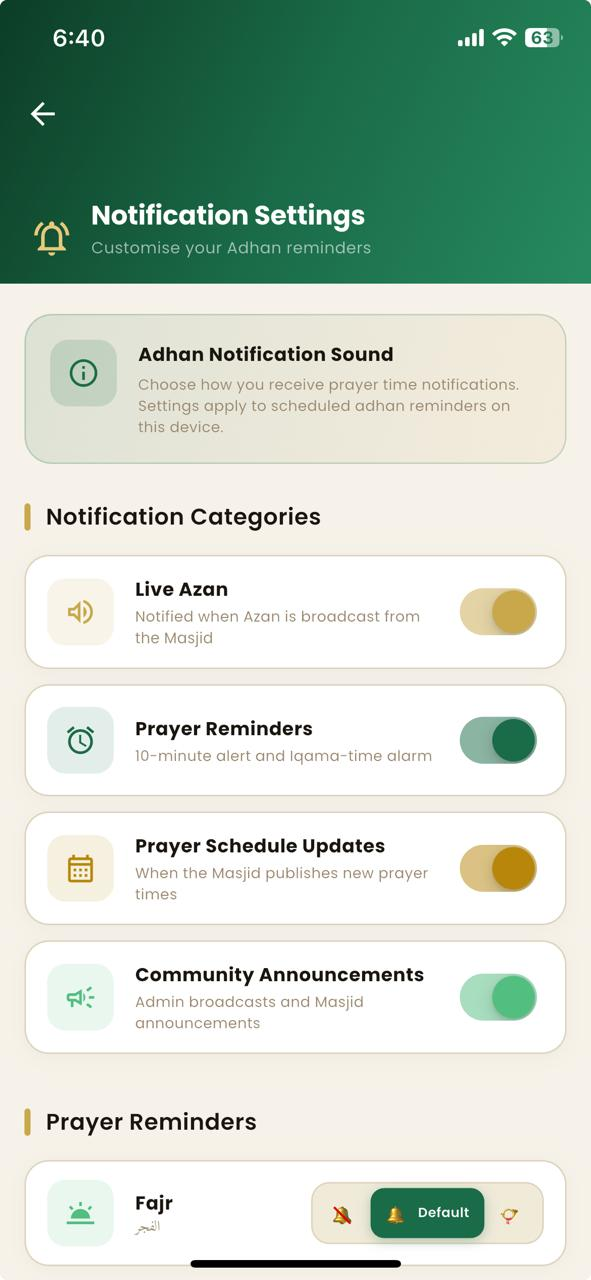
Push alerts matter. So do category settings for reminders and Live Azan. But a countdown you can see without hunting the notification shade is different: it stays with you while you finish a meeting, park the car, or walk toward the hall.
Live Activity is a best-effort layer on top of the same times and reminders members already trust. If the phone does not support it, the rest of MyAlMasjid still works. Android members keep notifications and the full app — Live Activity is an iPhone enhancement, not the whole product.
Tied to the masjid, not a city average
Generic apps countdown to a formula. MyAlMasjid countdown follows the Iqama your leadership published — the same numbers on the hall board, in member phones, and in reminders.
That is why committees still matter for this feature. Without onboarding and published times, there is nothing honest to count down to. Live Activity is the member-facing surface of that shared clock.
How it fits the rest of MyAlMasjid
- Leadership publishes Adhan and Iqama once
- Members get reminders, Reach, Qibla, Tasbih, and — on iPhone — Lock Screen / Dynamic Island countdown
- Roles keep Live Azan and pastoral tools protected
Live Activity sits in the member layer: quiet, glanceable, and honest that it needs a real masjid schedule underneath.
If your committee is still deciding
You do not join MyAlMasjid only for Dynamic Island. You join so the community shares one clock. Live Activity is what that clock looks like when an iPhone is face-up on the desk.
Ready for published times and member tools together? Super Admin onboarding is the calm start.
MyAlMasjid Super Admin onboards your masjid after a short setup conversation. Then your Mutawalli or Admin publishes times, assigns roles, and invites members.