A familiar pattern:
- Someone in the community installs MyAlMasjid
- They look for their masjid
- It is not listed yet — so the app feels empty
That is not a product failure. It is a workflow moment. Masjids on MyAlMasjid are onboarded by Super Admin, then the Mutawalli or Admin takes the first practical steps.
This article is for that second half: what you do in the first ten focused minutes after your masjid is live.
Step 0 — Get onboarded (once)
Committees do not self-create a masjid listing. Request a short setup with MyAlMasjid Super Admin — masjid name, city, and who will manage the app (Mutawalli / Admin / Imam / Muezzin).
Use the form: contact.html?purpose=onboard or email contact@myalmasjid.com.
After onboarding, your team can sign in and run the masjid — not chase screenshots in chat.
Minute 1–3 — Confirm roles
Assign the people who already do the work in real life:
- Mutawalli / Admin — schedule, members, announcements
- Imam — spiritual tools such as Ask Imam (when you enable it)
- Muezzin — Live Azan when you are ready
- Members — join and follow published times
Roles mirror the masjid. That is the point of MyAlMasjid.
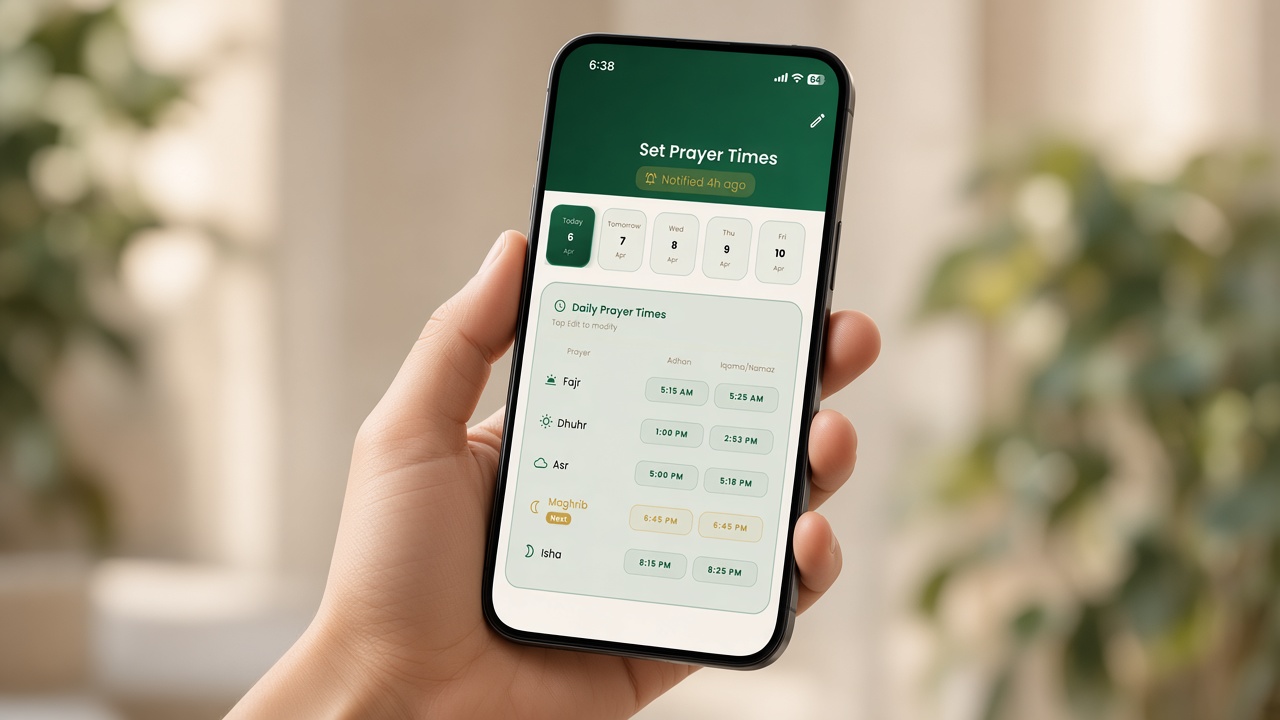
Minute 4–8 — Publish Adhan and Iqama
Open Set Prayer Times. Enter Adhan and Iqama for today (and Jummah when needed). Save once.
That single publish becomes the source of truth for:
- What members see in the app
- Reminders tied to your Iqama
- Optional hall TV display later
You are not updating five WhatsApp screenshots. You are publishing one schedule.
Minute 9–10 — Invite the first members
Share the join path with a small trusted group first — committee, regulars, youth helpers. Ask them to open the app and join your masjid.
Then tell the wider community once: “Our times are now in MyAlMasjid.”
If people already installed the app and were waiting, this is the message they needed.
What you can leave for week one
You do not need every feature on day one. After times are live, add in your own order:
- Facilities (women’s section, parking, accessibility)
- Announcements instead of long chat notices
- Live Azan with your Muezzin
- Hall TV / Fire Stick board when you are ready
First Iqama clarity beats a perfect dashboard.
Why this matters
Members who download early are not “inactive” — they are often waiting for their masjid to appear. A short Mutawalli start closes that gap: onboard, publish times, invite.
MyAlMasjid stays free on Android and iOS. The work is local: your times, your roles, your community.
How masjids get onto MyAlMasjid
MyAlMasjid Super Admin onboards your masjid after a short setup conversation. Then your Mutawalli or Admin publishes times, assigns roles, and invites members.
← All blog articles · Publish Adhan and Iqama Once · Masjid Facilities