Every Friday, the same messages appear in masjid groups.
“Is there a women's entrance?”
“Any parking near the hall?”
“Do you have wheelchair access?”
“Is there a place for kids?”
These are fair questions. The problem is where they live: buried under voice notes, old photos, and last year's answer that may no longer be true.
The visit starts before the first takbir
For many families, the decision to come is shaped before they leave home. Mothers want clarity. Elders need accessibility. Guests want to know what to expect.
When that information only exists in someone's memory — or in a chat scroll — people hesitate, or they arrive unprepared.
A masjid app should not only show Adhan and Iqama. It should also reduce that quiet friction.
Publish facilities the same way you publish prayer times
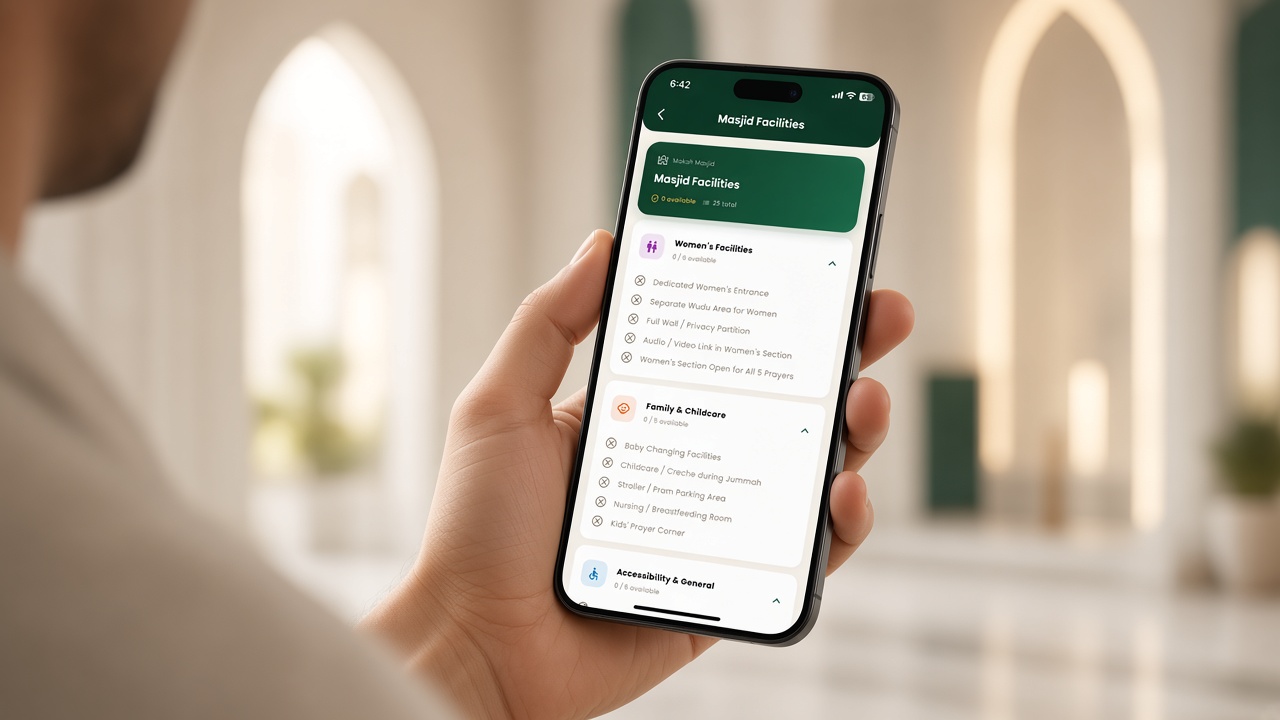
In MyAlMasjid, committees can publish Masjid Facilities — a clear checklist members can open any time:
- Women's facilities
- Family & childcare
- Accessibility & general amenities
- And more categories your masjid actually offers
It is published by the people who run the masjid — not guessed from a random website, not reinvented in every chat.
Members open the screen and see what is available at their local masjid. Committees update it when something changes. One source of truth.
Why this beats “ask in the group”
Group chats are great for urgency. They are poor as a permanent noticeboard.
- New members do not see last year's answers
- Busy admins answer the same question every week
- Sensitive details get mixed with unrelated noise
Facilities in the app reverse that: publish once, everyone can check quietly, and the committee stays in control.
Respectful by design
This is not about marketing your building. It is about dignity and clarity — especially for sisters, families with children, and anyone who needs accessibility information before they travel.
When the information is official and easy to find, fewer people feel awkward asking publicly.
How committees can start
- Open Masjid Facilities in MyAlMasjid
- Mark what your masjid truly offers
- Keep it updated when something opens, closes, or improves
- Tell members once: “Check Facilities in the app before you visit”
That small habit saves dozens of messages — and makes first-time visitors feel welcome.
Your local masjid, clearer in the pocket
MyAlMasjid is built around the real masjid workflow: Imam/Mutawalli-set times, Live Azan from your Muezzin, roles for the committee, and practical tools like Facilities for everyday members.
Free on Android and iOS.
How masjids get onto MyAlMasjid
Committees do not self-create a masjid listing. MyAlMasjid Super Admin onboards your masjid after a short setup conversation. Then your Mutawalli or Admin publishes times, fills facilities, assigns roles, and invites members.
← All blog articles · Salah Dawat · Announcements, Not Chat Chaos